VDR vs Dropbox: Why Shared Folders Kill M&A Deals
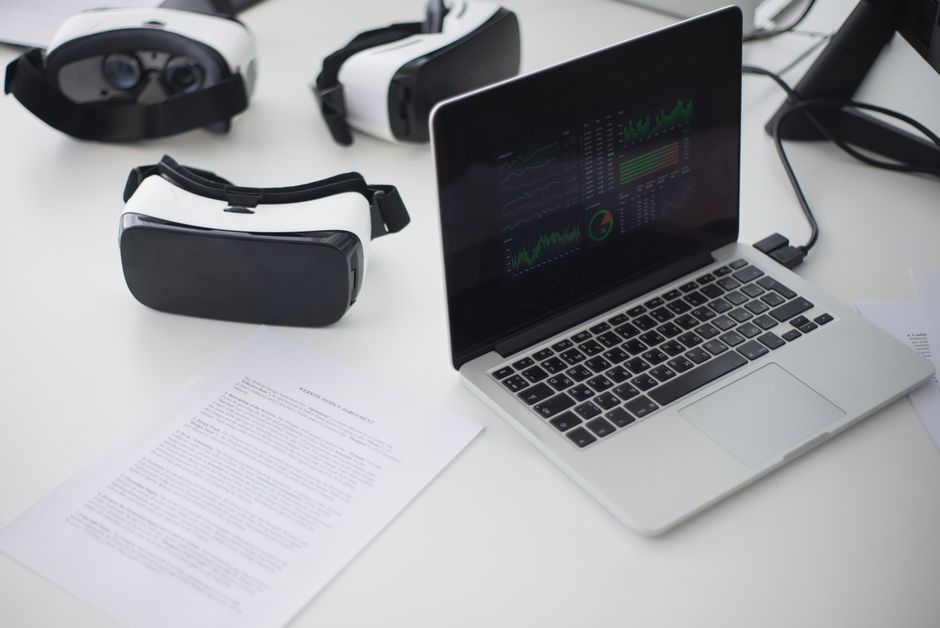
A $200M deal nearly blew up last year because someone used a Google Drive folder. Not a scrappy startup. A mid-market PE-backed carve-out with four advisors on the call. Buyer’s counsel asked for the latest redline of the SPA. Nobody could find it. Two versions had been uploaded — different names, different folders — and the wrong one had been circulating for eleven days. Closing slipped three weeks. Legal fees ballooned. And everyone quietly agreed never to talk about it.
That’s not rare. That’s Tuesday.
I’ve been in enough deal rooms — virtual and physical — to know that how you manage documents during due diligence is a deal variable. Not an IT decision. Not a cost line to optimize. A variable. Get it wrong and you’re explaining to a CFO why closing week turned into closing month.
So let’s actually settle this. VDR vs. Dropbox. No fluff.
What Dropbox, Google Drive, and SharePoint Actually Are
File sync tools. Good ones, honestly. If you’re sharing a board deck or syncing assets across a distributed team, they work fine.
But they were never built for M&A due diligence. Not even close.
Here’s the core issue: those tools are built for collaboration and ease of access. A virtual data room for due diligence is built for control, confidentiality, and compliance. Those are fundamentally opposite engineering priorities. You can’t retrofit deal-grade security onto a consumer file-sharing product after the fact. It just doesn’t work that way.

The Comparison That Actually Matters: 5 Deal-Critical Areas
Here’s where it gets concrete.
1. Access control
Google Drive lets you share a folder with “anyone with the link.” Fine for a recipe. Not fine for a target company’s cap table. A proper VDR gives you granular, role-based permissions — this person views but can’t download, this person accesses financials but not the legal folder, this person’s access expires at midnight Friday. Automatically. Without someone having to remember to revoke it at 11:58pm on a Thursday night.
2. Audit trails
When a deal closes — or falls apart — both sides need to know exactly who saw what, and when. Regulators care. Your legal team cares. Generic file-sharing tools log almost nothing useful. A proper data room for M&A generates a complete, timestamped record of every view, download, and search query. For post-close indemnification disputes alone, that’s worth the price of admission.
3. Dynamic watermarking
If your confidential financial projections leak mid-process — and it happens — your first question is: which counterparty shared them? With a secure data room, every document is watermarked with the viewer’s identity at the time of viewing. With Dropbox, you find out from a journalist. Or a competitor.
4. Q&A workflow
Cross-border due diligence generates hundreds of questions. Buyer’s counsel submits them, your team routes them internally, responses get logged and released in a controlled environment. There’s no clean way to run that in SharePoint. It collapses into an email chain nobody can untangle three weeks later — right when it matters most.
5. Regulatory compliance
A London law firm running cross-border due diligence on a German target has GDPR obligations about where data sits. An investment bank running a sell-side process has its own recordkeeping requirements. Dropbox was not designed around deal-specific regulatory frameworks. VDR software built for financial transactions is. That’s not a minor footnote — that’s a material legal exposure.
Where Shared Folders Actually Hurt You
Three failure modes I see most often. All real.
- Version confusion. A PE firm in Chicago managing a $200M carve-out uploads 23 versions of the purchase agreement to a shared Drive. Buyer’s counsel works from version 17. Nobody catches it until closing week. The deal slips two weeks, legal fees spike, and someone has a very bad Monday.
- Permission leaks. A Series B startup shares their data room with 12 investors. Someone accidentally grants a strategic investor access to a folder meant only for financial investors. Competitive intelligence gets out. The round gets complicated — and the founder is left wondering exactly what went wrong.
- No record for disputes. Post-close indemnity claim over a disclosure. Seller insists the warranty schedule was uploaded on day 14. Buyer says they never saw it. With Google Drive, you’re arguing over email timestamps. With a proper virtual data room, you have a signed, immutable audit log. End of conversation.

Why a Purpose-Built VDR Wins — and Why AI Changes the Economics
Most legacy VDRs are just glorified Dropbox folders with a permission toggle bolted on. Sorry, but it’s true. The old guard charged enterprise prices for a product that was, at its core, a dressed-up file cabinet.
That’s changed.
Modern AI virtual data rooms like SmartVDR don’t just give you secure storage — they actually read your documents. They flag missing items in your disclosure schedule before you know to look. They surface risky clauses in supplier contracts before the buyer’s counsel does. They auto-organize 400 uploaded documents into a clean, indexed structure in minutes. Not days.
For a deal team running a tight timeline — and they’re all tight — that’s not a nice-to-have. It’s the difference between looking prepared and looking like you’ve never done this before.
And on cost: the assumption that a virtual data room is always the expensive option is outdated. Affordable virtual data room options now exist for mid-market deals that cost less than a few hours of junior associate time — without the security trade-offs of general-purpose tools.
Whether you’re a corporate development VP running a $500M acquisition in Singapore, a founder in Berlin prepping for Series B, or a law firm in New York juggling three simultaneous matters — the infrastructure you choose matters. Using a shared folder for a high-stakes transaction is like showing up to a contract negotiation with notes on Post-it notes.
But. You do you.
Frequently Asked Questions
What is a virtual data room, and how is it different from Dropbox or Google Drive?
A virtual data room is a secure, purpose-built platform for sharing confidential documents during high-stakes transactions — M&A, fundraising, legal due diligence. Unlike Dropbox or Google Drive, a VDR gives you granular access controls, full audit trails, dynamic watermarking, Q&A workflows, and compliance features designed specifically for deal management. Not general file sharing.
Can I use SharePoint or Google Drive for M&A due diligence?
Technically yes. But it creates real legal and operational risk. These tools lack the access controls, audit logging, watermarking, and regulatory compliance features that serious transactions require. Most counterparty legal teams — and most institutional buyers — will expect a proper VDR for anything above a basic asset transfer.
How much does a virtual data room cost compared to free tools?
Modern VDR pricing has dropped significantly from the legacy era. Platforms like SmartVDR offer per-deal pricing that’s far more accessible than the old names — often less than a few hours of outside counsel time. For any deal above $10M, the risk reduction and time savings alone justify it.
What should I look for in a virtual data room for due diligence?
Granular permission controls, full audit trails, dynamic watermarking, structured Q&A workflow management, and compliance certifications — SOC 2 and GDPR at minimum. If you’re running multiple deals or want faster document review, AI features like auto-categorization, missing document detection, and clause flagging can materially cut time-to-close and catch problems before they become deal problems.
Ready to run your next deal on a smarter data room? Visit SmartVDR.com to see how AI-powered document intelligence can close your deals faster.