VDR Software AI Document Classification vs SharePoint

Last quarter, I watched a $220M cross-border deal in Singapore drag three extra weeks because the target’s team ran their data room on SharePoint. The buyer’s counsel — a seven-person team out of London — spent the first week just trying to figure out where things were. The deal closed. Barely. And the seller left money on the table because of it.
That story isn’t unusual. It’s Tuesday.
And here’s what frustrates me: the problem has a name. It’s called VDR software AI document classification. SharePoint doesn’t have it. In 2026, that absence is costing deal teams weeks they simply don’t have.
What AI Document Classification Actually Does
Here’s what most people miss about purpose-built virtual data rooms: the AI isn’t a nice-to-have. It’s the whole point.
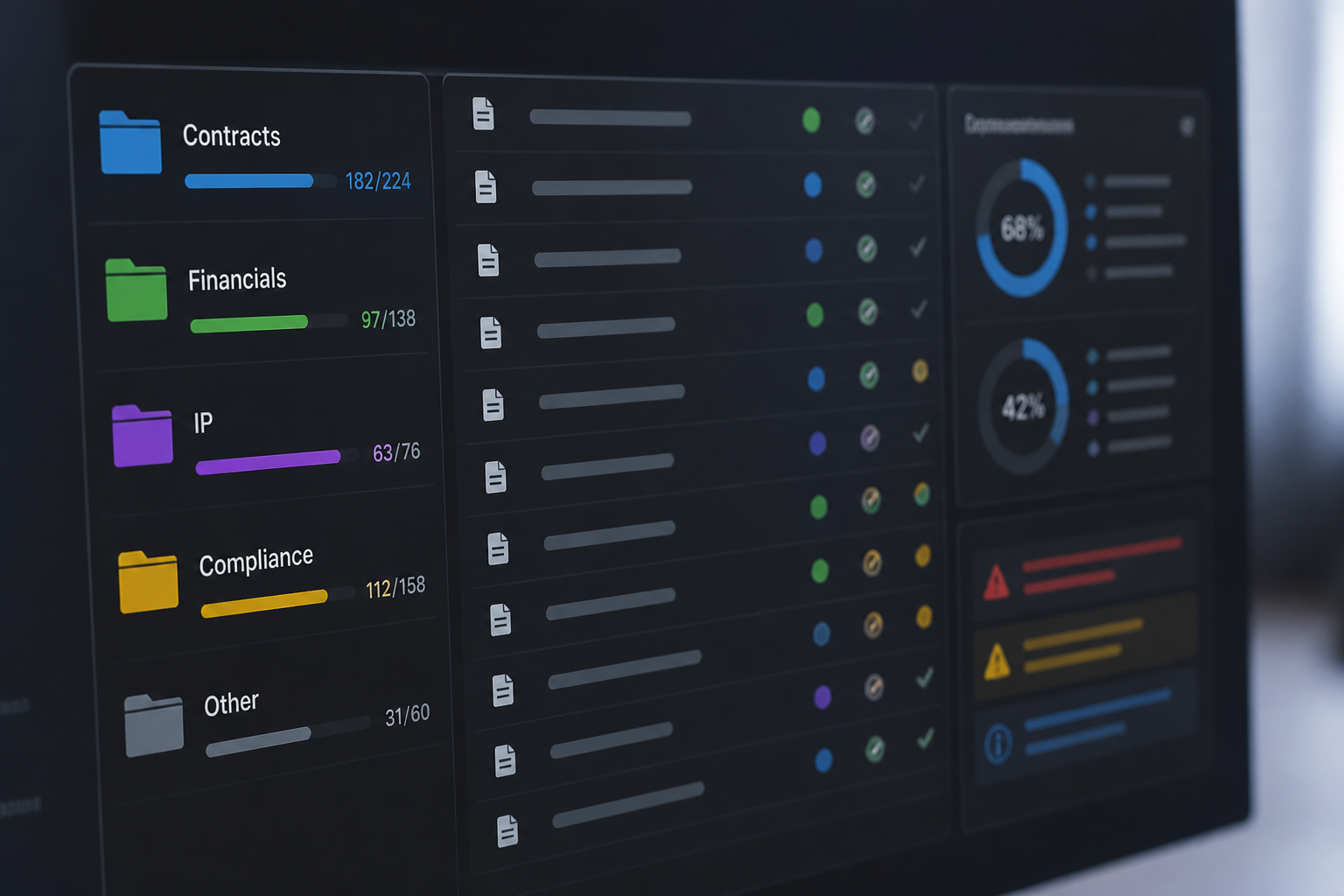
When you upload 300 files to a real VDR software platform like SmartVDR, the AI reads the content — not just the filename. It sees that “Amendment_3_Final_SIGNED.pdf” is an executed contract amendment. It knows “Financials Q3” belongs under Financial Statements, not wherever the associate dropped it at 11pm on a Thursday. It finds the gaps in your index before the buyer’s counsel does.
What that looks like inside a proper data room for M&A:
- Auto-categorization against a standard M&A index — financial, legal, IP, HR, environmental, compliance. The AI knows the structure. It sorts accordingly.
- Anomaly detection — missing documents, duplicates, misplaced files. You find out before the buyer does. That matters more than people realize.
- Metadata extraction — dates, parties, signatories — pulled automatically. No one tagging documents at midnight.
- Deal-type structure suggestions — PE buyout, strategic acquisition, Series B fundraise. Different deals need different indexes. The AI adjusts.
- Index gap flagging — so you close the holes before diligence starts, not scramble during it.
The result is a secure data room that’s organized on day one. Not something you spend a week cleaning up while the deal clock runs.
What SharePoint Does With Your Deal Documents
A file in a folder. That’s it. That’s what SharePoint sees.
You can name a folder “Legal” and drop contracts into it. SharePoint won’t tell you the NDA is missing the counterparty signature. It won’t catch that you’ve uploaded the same LOI twice under different names. It won’t notice the 2023 financials are missing when you have 2022 and 2024.
Most legacy VDRs are just glorified Dropbox folders. Sorry, but it’s true. And SharePoint isn’t even trying to be a VDR — it’s a document management system built for internal teams, now being asked to run a $300M transaction. It was never equipped for that.
Permissions in SharePoint are site-level or library-level. In a real deal, you need granular, document-level access control — where the strategic buyer sees the cap table but not the employment agreements, and that access expires automatically when diligence ends. You can hack this together in SharePoint. But it takes IT, it breaks under pressure, and it doesn’t hold up when someone calls it into question later.
Audit trails? You get access logs. Not per-document viewer analytics. Not time-on-page. Not the timestamped activity report that buy-side counsel expects — or that holds up in a dispute.
And external onboarding… ask anyone who’s tried to provision a 12-person diligence team onto a SharePoint site. You’ll spend a full day on IT tickets before a single document gets read.
The AI Classification Gap — In a Real Deal
Here’s a scenario I see constantly. A PE firm in Chicago is closing a $150M add-on acquisition. The target’s CFO uploads 280 documents into a shared SharePoint folder — contracts, board minutes, financial models, HR files, and at least 30 things that have absolutely no business being anywhere near a deal room.
Buy-side counsel manually sorts through everything. Someone builds a folder structure from scratch. Documents get moved. Some get missed. A week later, the buyer’s tax advisor asks for all state tax filings from the past three years — and three people spend half a day hunting through nested folders.
In a virtual data room with AI document classification, that same upload gets organized in minutes. Tax filings tagged and filed automatically. A clean index on day one. Questions answered before they become formal requests. The deal moves.
Three-week diligence versus five-week diligence. On $150M, that’s not a convenience. That’s real money and real deal risk.

Where SharePoint Falls Short — The Full Picture
To be direct:
- No document-level permissions — granular access control requires heavy customization SharePoint was never designed to support
- No deal-grade audit trails — access logs don’t show per-document behavior, download history, or the analytics deal counsel actually needs
- No automatic watermarking — dynamic watermarks tied to user identity mean third-party tools or manual workflows. Neither is great at 2am before signing.
- Poor external-party experience — onboarding outside users is slow, IT-dependent, and unreliable at deal pace
- No deal analytics — you can’t see which documents buyers keep revisiting, which sections are being ignored, or who hasn’t even opened the data room yet
- No VDR software AI document classification — the core problem. Documents land wherever someone puts them. And they stay there.
These aren’t edge cases. They’re table stakes for running a deal in 2026.
SmartVDR handles all of them — document-level permissions, automatic watermarking, clean external-party access without the IT overhead, real-time deal analytics, and AI classification that organizes your data room before the first buyer logs in. A London law firm running a cross-border asset sale gets the same organized, auditable environment as a Series B founder sharing financials with 14 investors simultaneously.
SharePoint is good software. It just wasn’t built for deals. And the transactions moving fastest right now are running on tools that were.
Frequently Asked Questions
What is VDR software AI document classification?
It’s the ability inside a purpose-built virtual data room to automatically read, categorize, and index uploaded documents based on their actual content — not their filename. Natural language processing identifies document types (contracts, financial statements, IP filings) and places them in the right deal room structure without manual sorting. In M&A, this means a buyer-ready data room in hours, not days.
Why can’t SharePoint be used as a virtual data room for M&A?
SharePoint lacks the features that M&A due diligence actually requires: document-level permissions, deal-grade audit trails, automatic watermarking, and AI-powered document organization. Those gaps slow diligence, create compliance exposure, and make external party onboarding a friction point at exactly the wrong moment. Purpose-built VDR software was designed for these workflows. SharePoint wasn’t.
How much does a virtual data room cost compared to SharePoint?
SharePoint is bundled in Microsoft 365, so it looks free — but purpose-built platforms like SmartVDR are priced per deal or annually, and that cost is typically recovered in deal team hours saved on document organization alone. Modern virtual data room pricing is far more competitive than legacy providers like Intralinks or Datasite. The math isn’t close.
What should I look for in a virtual data room for due diligence?
AI document classification, document-level permissions, automatic watermarking, a clean external-party interface, and real-time activity analytics. The best virtual data rooms for due diligence also include Q&A workflow tools, bulk upload with auto-indexing, and deal-specific audit reports your compliance team can actually use — not just access logs with timestamps.
Ready to run your next deal on a smarter data room? Visit SmartVDR.com to see how AI-powered document intelligence can close your deals faster.